
Ai voice Studio
Ai voice Studio
Single Script Mode
Multi-Character Studio
Guided 5-Step Workflow

Key Features of Ai voice Studio
Transform your experience with Ai voice Studio's main features.
Single Script Mode
Generate one continuous narration from a pasted or written script using a single AI voice—ideal for straightforward voiceovers.

Explore features and benefits.
Experience innovation at hand.
Download and start using.
Multi-Character Studio
Create dialogues, skits, audio dramas, or ad conversations by combining multiple AI voices within one scene.
Improved performance and stability.
Regular software updates.
Enhanced user experience.
Why choose Ai voice Studio
Streamline your life with Ai voice Studio today!

Guided 5-Step Workflow
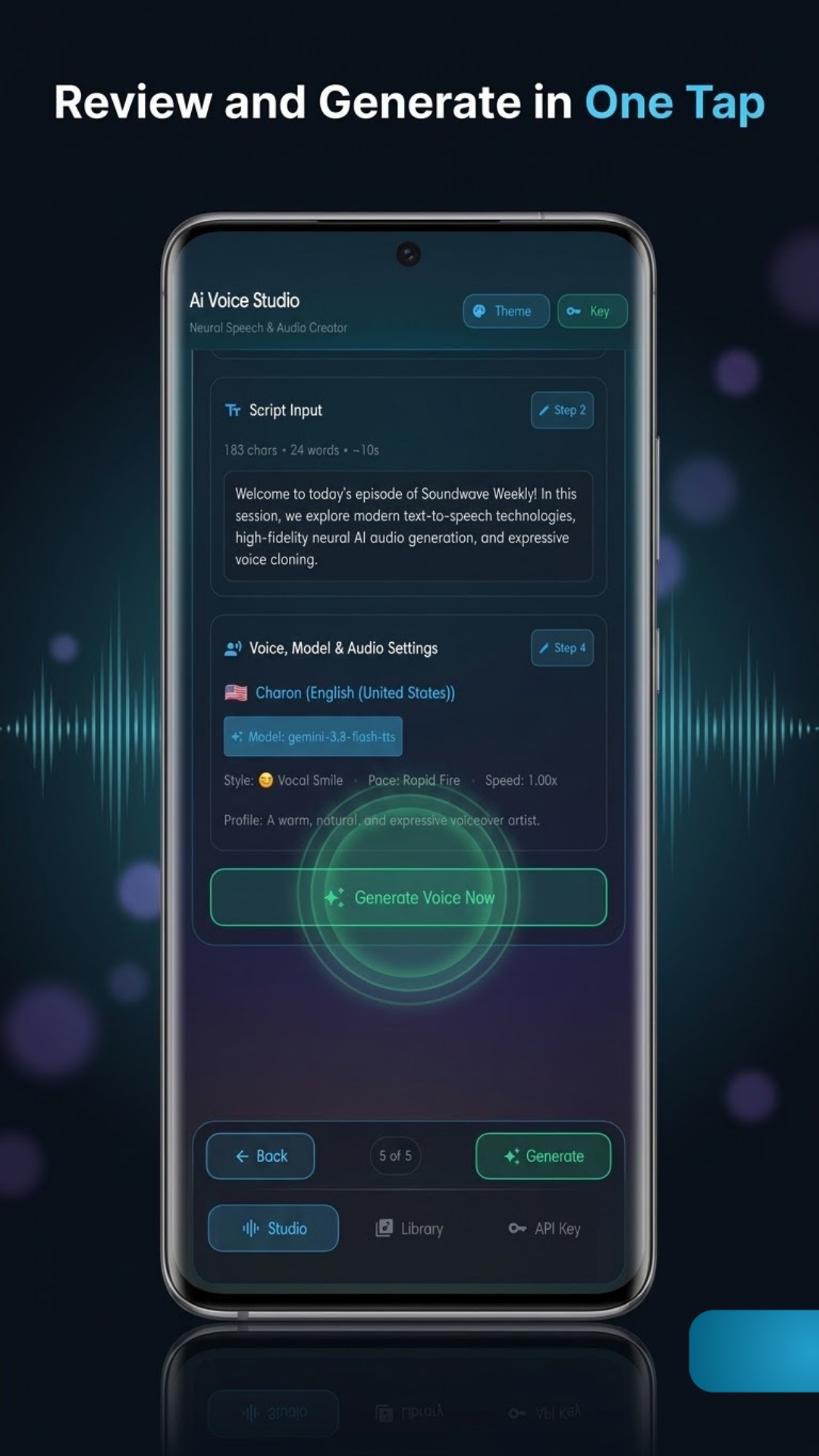
A structured creation flow (Scene, Script, AI, Voice, Review) that keeps projects organized and makes the next step clear.

Scene Presets + Custom Scenes
Start quickly with presets like Studio Recording, Documentary, or Podcast, or write your own scene directions to shape tone and delivery.

AI Script Assistant
Refine text for speech by rewriting for natural delivery, adding emotion/rhythm, translating, summarizing for audio, inserting pauses/cadence, or converting scripts into dialogue.


Reviews about Ai voice Studio
Discover our users' feelings and comments.
I've been using Ai voice Studio for a while, and it’s amazing! The design is intuitive, and the features work seamlessly.

User 1
Oct 6, 2026
I can't get enough of Ai voice Studio! It’s fun and engaging. It’s worth every download!
User 2
Sep 25, 2026
Ai voice Studio has greatly enhanced my experience. The performance is top-notch. Five stars from me!
User 3
Sep 11, 2026
FAQs about Ai voice Studio
Browse the most frequently asked questions that you may interested in.
What is Ai Voice Studio?
Ai Voice Studio is an AI voice generator and text-to-speech studio that turns scripts into natural, expressive narration. You write or paste a script, choose a scene and voice, and generate audio in a few taps—without needing a microphone, voice actor, or recording studio.
Does Ai Voice Studio support multiple speakers or dialogues?
Yes. It includes Single Script Mode for one narrator and Multi-Character Studio for creating conversations, skits, audio dramas, and ad-style dialogues with multiple AI voices in one scene.
What features help me control tone and delivery?
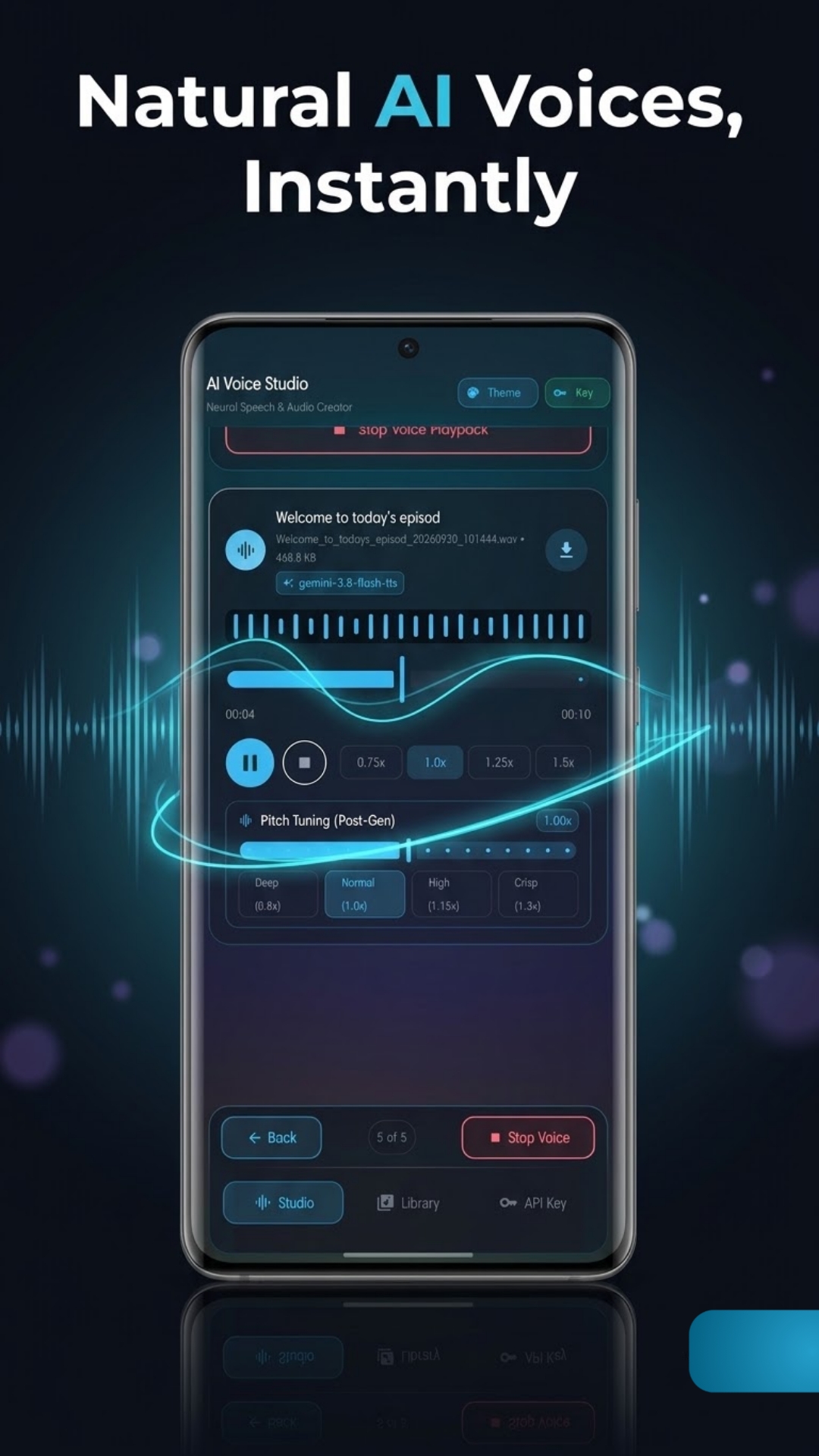
Ai Voice Studio provides scene presets (e.g., Studio Recording, Documentary, Podcast) or you can write a custom scene/context. It also includes voice controls such as voice selection, speaking style, pace, and accent, plus playback preview and tuning options like playback speed and pitch adjustment after generation.
Does Ai Voice Studio include tools to help write or adapt scripts for speech?
Yes. It includes an AI Script Assistant that can rewrite text for speech, add emotion and rhythm, translate, summarize for audio, add pauses/cadence, or convert a script into dialogue.
Do I need an internet connection or an API key to generate audio?
Yes. An internet connection and a valid Google Gemini API key are required to generate audio. The app is powered by the Google Gemini API and uses your own personal API key.
How is my Gemini API key handled in Ai Voice Studio?
Your key is stored on your device using AES-256 encryption through Android KeyStore. It is not shared and is sent only to Google’s official Gemini API servers to process requests. No account or login is required to use the app.
Is Ai Voice Studio free, and does it include ads?
The app is free and contains ads.
Does Ai Voice Studio save my generated audio?
Yes. Each generation is saved in an Audio Library, where you can replay, download, or delete it anytime.
Are there responsible-use rules for generated voices?
Yes. Before using the app, you must agree to acceptable-use guidelines. The app states you should not impersonate a real person without consent or create harmful, deceptive, or exploitative content.
Is Ai Voice Studio affiliated with Google?
No. Ai Voice Studio is an independent app and is not affiliated with, endorsed by, or sponsored by Google. Gemini and Google AI Studio are trademarks of Google LLC.
Start your free trial for Ai voice Studio today!
Enjoy your everyday with Ai voice Studio.
Let's keep in touch!
Subscribe to our newsletter for the latest news and updates.
By subscribing, you agree to Ai voice Studio Privacy Policy.